For Agencies & Studios
Give Every Client a Branded Docs Portal
Stop re-answering the same questions after every handover. HelpKit turns your Notion guides into polished, branded portals, one per client, so your documentation looks as professional as your work.
The Best Companies Are Using HelpKit





Handover questions eat your retainers
Clients ask the same how-do-I questions for months after launch. A searchable portal answers them without burning billable hours.
PDF guides age instantly
The handover PDF is outdated by the second edit. A portal synced from Notion is always the current version, without re-exporting anything.
Docs should look like your agency
A Google Doc handover undercuts a premium project. A branded portal on the client's domain extends the quality impression you were hired for.
What you get
Everything included, nothing to build
One portal per client
Run separate branded portals from one workspace and one account, however many clients you serve.
Protected per-client access
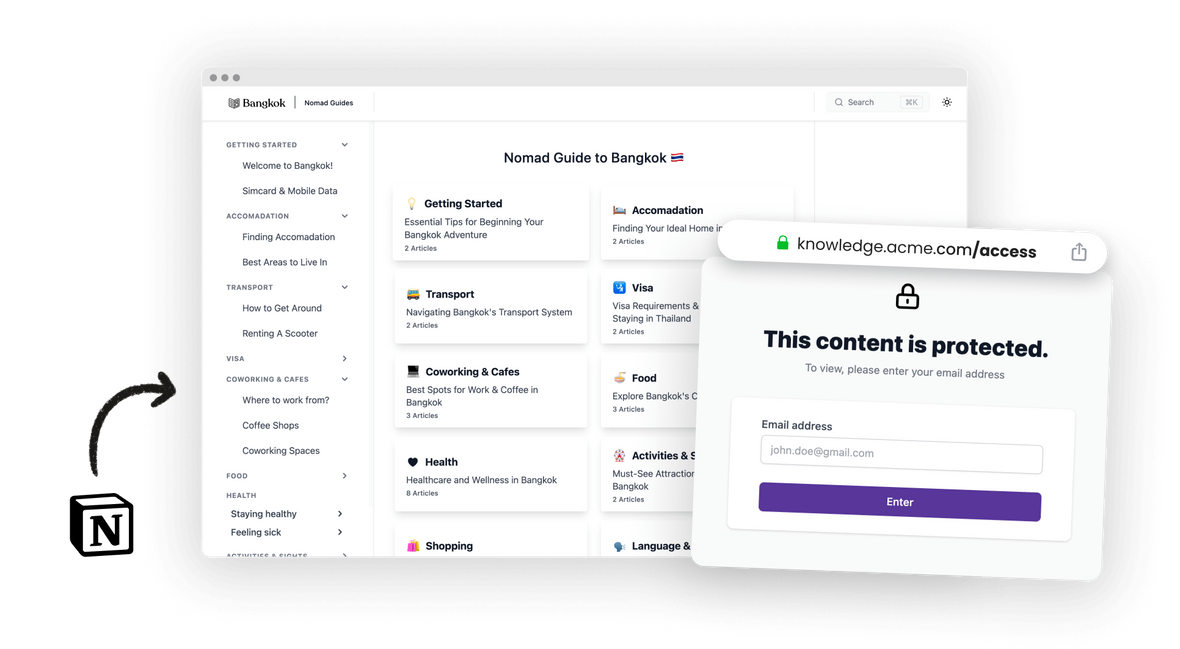
Password, email list, or JWT protection keeps each client's material for that client only.
Always-current guides
Edit the Notion page and the client's portal updates. Handover documentation that stays true after the handover.
Search + AI answers for clients
Clients find their own answers ('how do I update the homepage banner?') instead of emailing your project manager.
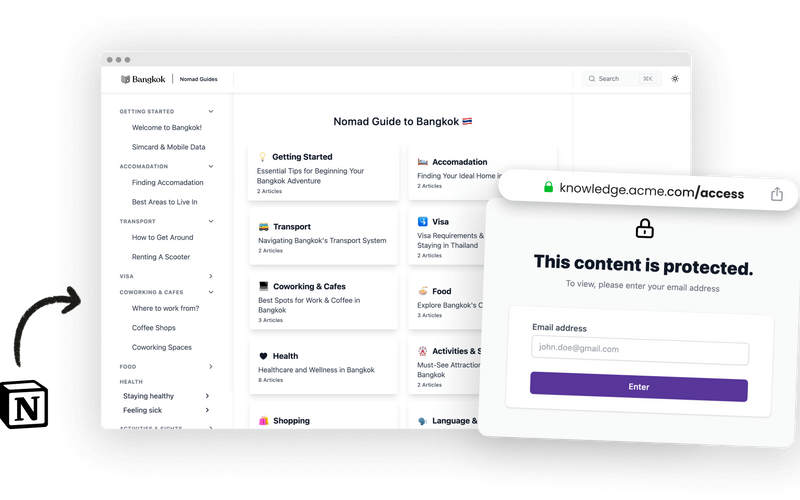
Control exactly who gets in with protected access
Client work needs walls between clients. Each portal is its own project with its own access rules, so one client never sees another client's material.
-
Password protection
- Protect your whole site with a single password. The simplest and most efficient access control, and you can rotate it whenever you need to.
-
Restricted email list
- Define exactly who can access your site with an approved email list. It lives in Notion, so it works with Zapier and Make out of the box.
-
Custom backend authentication
- Authenticate visitors with your own login system and fully control who gets in. Ideal for internal documentation and enterprise portals.
Powered by HelpKit AI
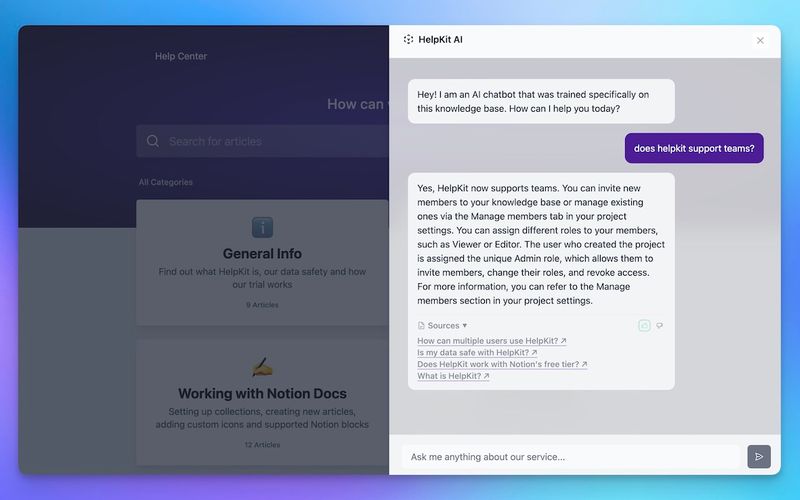
Clients answer their own questions
The questions that arrive months after handover ("how do I update the banner again?") are exactly what an AI trained on your guides handles best.
- ✓Trained on the guides you wrote for that specific client
- ✓Cuts the unbilled question-answering that eats retainer margins
- ✓Runs inside each client's protected portal
Why your docs belong in Notion
The docs tool your team already knows how to use
Everyone can edit, today. Your team writes in Notion already, so there's no docs platform to learn, no markdown to teach, and no developer bottleneck between "we should update that article" and it being updated.
Docs stay current. Documentation goes stale when updating it is a chore. Editing a Notion page is not a chore, which is why Notion-based docs actually get maintained.
One source of truth. Your knowledge lives in one workspace instead of being copy-pasted into a separate docs system that drifts out of date the same week.
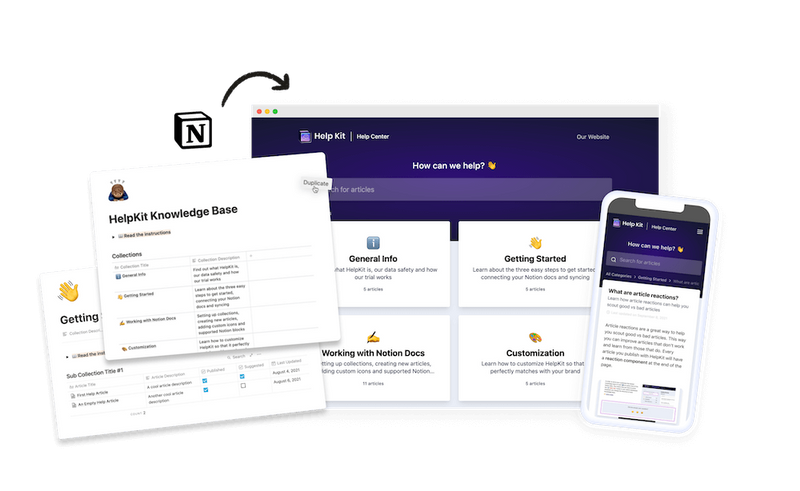
HelpKit adds the pro layer. Notion is the editor; HelpKit is the publishing engine: your domain, search, AI answers, analytics, and access control on top of the pages you already have.
How it works
Your help center, live in three steps
- 1
Write guides once in Notion
Your standard how-tos plus client-specific pages, organized per client.
- 2
Spin up a portal per client
Branding, domain, and access protection per project. Minutes each.
- 3
Deliver at handover
The portal ships with the project, and support questions stop landing in your inbox.
Agencies run client documentation portals on HelpKit, and agency-run help centers are among the longest-lived projects on the platform.
Included on every plan
Everything a professional site needs
Fully branded
Your logo, colours and typography. No HelpKit badge on paid plans.
Your custom domain
Serve on help.yourdomain.com with SSL included, so SEO authority stays yours.
Multilingual
Run several languages from one workspace, without a duplicate system per market.
Instant search
Full-text search that returns answers as visitors type, across every article.
Insights that name gaps
See what people searched for and did not find, so you know which article to write next.
Protected access
Public, password, email allow-list or JWT via your own login. Set it per project.
Embeddable widget
Answers inside your product, without sending anyone out to a browser tab.
AI-readable by default
llms.txt and clean semantic markup, so assistants can quote your docs correctly.
Edits go live instantly
Publish from Notion. No rebuild, no release, no ticket to the web team.


With Helpkit we literally went from 0 to fully functional knowledge-base in 1 hour! The best thing about Helpkit is it allows my non-technical co-founder to do 95% of the work and manage our knowledge-base. We signed up because of how beautiful and well-designed the product is!

Testimonial from Dan Kelly
CEO at Adjust Square
Frequently asked questions
Can each client portal carry the client's branding? +
Yes. Each project has its own branding, domain, and content, so one client's portal can look like them while another looks like your agency, whichever the engagement calls for.
How do we keep client A from seeing client B's docs? +
Each portal is a separate project with its own protected access: password, approved email list, or JWT. Clients only reach the portal you gave them credentials for.
Is this billable work or overhead? +
Many agencies productize it: a documentation portal is a deliverable clients pay for, and it visibly reduces their dependence on ad-hoc support. It also cuts the unbilled question-answering that eats retainer margins.
What happens when we update a shared how-to? +
Because guides are Notion pages, you edit once and each portal that uses the page syncs automatically. No re-exporting, no per-client version drift.
 Ready to turn your
 Notion pages into a
professional
Join 1000+ happy customers reducing their support ticket load and getting customers to their answers quickly.