For Figma Plugin Developers
Plugin Docs Designed for People Who Judge Design
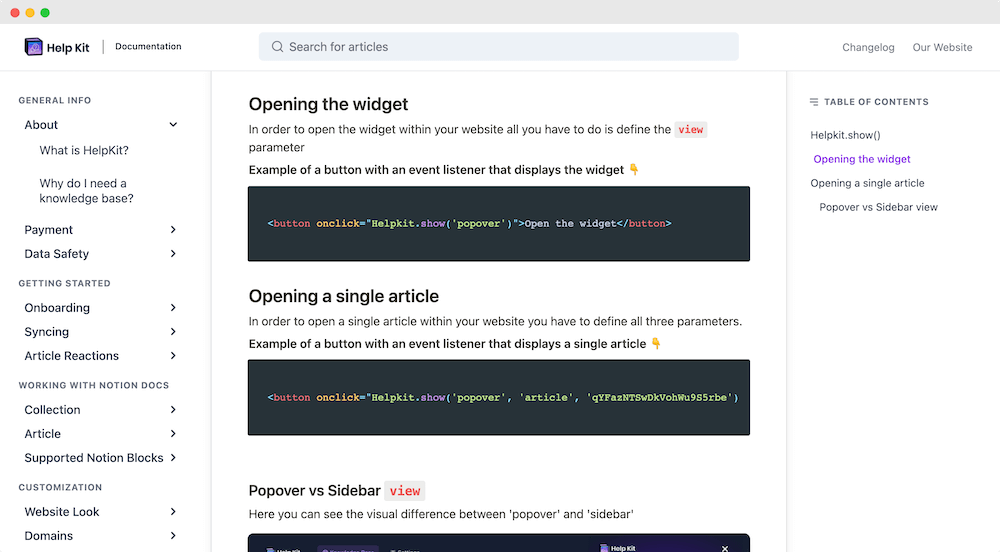
Your users are designers: they skim, they expect visual instructions, and they notice sloppy. HelpKit turns your Notion docs into a polished, image-forward documentation site that answers questions before they land in Community comments.
The Best Companies Are Using HelpKit







Designers judge the wrapper
A plugin that improves someone's workflow deserves docs that don't look like a text file. Presentation is credibility with this audience.
Community comments are your support queue
Confused users post publicly on your Community page, where every future user reads the exchange. Docs answer privately, before the public thread exists.
Plugin instructions need pictures
Where to click, what panel opens, what the result looks like: plugin docs are screenshots with connective text. Notion makes them easy to produce; HelpKit makes them fast to browse.
What you get
Everything included, nothing to build
Image-forward article layout
Screenshots, GIFs, and video embeds render beautifully, so show-don't-tell documentation reads the way designers expect.
One link for your Community page
Put your docs URL in the plugin description and support field. Questions route to answers instead of comments.
AI answers for quick unblocks
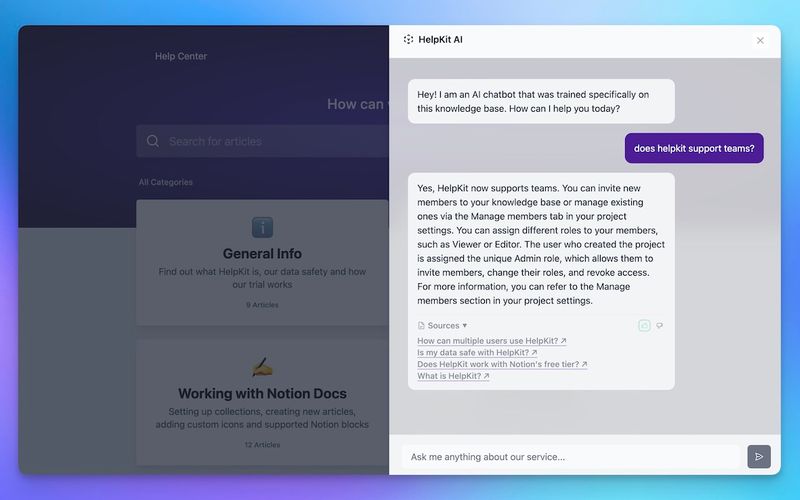
Mid-project users ask 'why is export greyed out' in their own words and get your answer instantly.
Docs for every plugin you ship
Run one site per plugin or one hub for your whole catalog, from a single Notion workspace.
Powered by HelpKit AI
Answers before anyone has to ask you
HelpKit AI is trained on your own content. Visitors ask questions in plain language and get an instant answer, with links back to the article it came from.
- ✓Trained automatically on every article you publish
- ✓Answers cite the source article, so nothing is invented
- ✓Works around the clock, in every timezone your users are in
Why your docs belong in Notion
The docs tool your team already knows how to use
Everyone can edit, today. Your team writes in Notion already, so there's no docs platform to learn, no markdown to teach, and no developer bottleneck between "we should update that article" and it being updated.
Docs stay current. Documentation goes stale when updating it is a chore. Editing a Notion page is not a chore, which is why Notion-based docs actually get maintained.
One source of truth. Your knowledge lives in one workspace instead of being copy-pasted into a separate docs system that drifts out of date the same week.
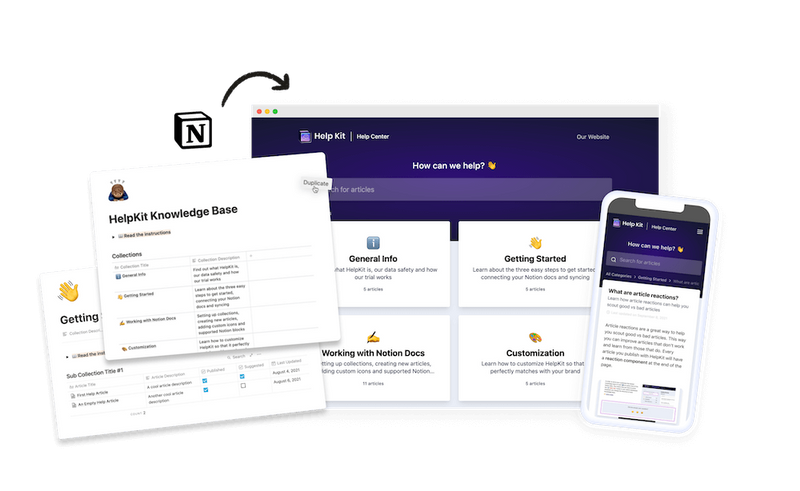
HelpKit adds the pro layer. Notion is the editor; HelpKit is the publishing engine: your domain, search, AI answers, analytics, and access control on top of the pages you already have.
How it works
Your help center, live in three steps
- 1
Write visual guides in Notion
Install, core workflows, and the questions your comments keep asking.
- 2
Connect HelpKit
A branded docs site that matches your plugin's polish. About 15 minutes.
- 3
Link from Figma Community
Support field, plugin description, and your site. Comments get quieter.
Design tool makers run their documentation on HelpKit because their audience holds documentation to a designer's standard.
Included on every plan
Everything a professional site needs
Fully branded
Your logo, colours and typography. No HelpKit badge on paid plans.
Your custom domain
Serve on help.yourdomain.com with SSL included, so SEO authority stays yours.
Multilingual
Run several languages from one workspace, without a duplicate system per market.
Instant search
Full-text search that returns answers as visitors type, across every article.
Insights that name gaps
See what people searched for and did not find, so you know which article to write next.
Protected access
Public, password, email allow-list or JWT via your own login. Set it per project.
Embeddable widget
Answers inside your product, without sending anyone out to a browser tab.
AI-readable by default
llms.txt and clean semantic markup, so assistants can quote your docs correctly.
Edits go live instantly
Publish from Notion. No rebuild, no release, no ticket to the web team.


With Helpkit we literally went from 0 to fully functional knowledge-base in 1 hour! The best thing about Helpkit is it allows my non-technical co-founder to do 95% of the work and manage our knowledge-base. We signed up because of how beautiful and well-designed the product is!

Testimonial from Dan Kelly
CEO at Adjust Square
Frequently asked questions
What should Figma plugin docs cover first? +
Installation and permissions, a visual quick-start for the core workflow, and the three questions your Community comments repeat. Add a what-changed page per release once you're shipping regularly.
Do docs really reduce Community page complaints? +
They reduce the confusion-driven ones, which are usually the majority and the most repetitive. A visible docs link also changes the tone of what remains: users arrive having tried the documented steps.
I sell a paid plugin. Can docs be buyer-only? +
Yes. Email-list protection limits access to approved emails, so paid guides stay with paying users while your public quick-start markets the plugin.
I'm a solo developer. Is this overkill? +
Solo is exactly when it pays: every documented answer is support you never do again. Start with five articles from your real questions; the AI answers absorb the phrasing variations.
 Ready to turn your
 Notion pages into a
professional
Join 1000+ happy customers reducing their support ticket load and getting customers to their answers quickly.