What Is a Help Center? (And Why Your Business Needs One)
 Lena Martinez 6 min read
A help center is a self-serve resource where customers find answers about your product without contacting support. It typically covers common workflows, setup instructions, billing questions, and troubleshooting steps, organized so people can search or browse their way to a solution in under a minute.
That's the definition. The more interesting question is why it matters, because a help center quietly does three jobs at once: it answers questions you'd otherwise answer by email, it reassures prospects who are deciding whether to buy, and it keeps helping while you sleep.
The problem a help center solves
Every product generates the same questions over and over. How do I connect my domain? Why was I charged twice? Where do I change my password?
Without a help center, each of those questions becomes a support ticket. You (or your support team) write the same answer for the fortieth time, the customer waits hours for something they could have read in seconds, and both sides end up mildly annoyed.
With a help center, the answer exists once, in public, findable at 2 a.m. on a Saturday. The questions don't stop. They stop landing in the inbox, and the ones that still arrive tend to be the genuinely tricky ones rather than the fortieth password reset.
What actually goes into a help center
Most help centers contain some mix of:
- Getting started guides. What the product is and how to take the first steps.
- How-to articles. Step-by-step instructions for specific tasks.
- Billing and account answers. Upgrading, cancelling, payment methods, invoices.
- Troubleshooting articles. What to do when something breaks.
- A search bar. The single most used element on the page.
We cover how to organize all of this in the chapter on help center structure, including the four categories that fit almost every product.
Help center, knowledge base, documentation: what's the difference?
The terms overlap a lot, and in everyday use people mix them freely. The differences are mostly about audience and scope:
| Term | Typical audience | Typical content |
|---|---|---|
| Help center | Customers | Answers to product questions, how-tos, billing, troubleshooting |
| Knowledge base | Customers or employees | Broader term for any organized collection of articles |
| Documentation | Technical users, developers | Reference material, APIs, specifications |
| FAQ | Everyone | A short list of common questions, usually one page |
A help center is a knowledge base pointed at your customers. An FAQ is usually where companies start, and it works until the tenth question makes the page unreadable. Documentation goes deeper and assumes a more technical reader.
If you're choosing what to build first: build the help center. It serves the widest audience and pays for itself fastest.
What a good help center does for your business
It deflects repetitive tickets. Every article that answers a common question is a ticket you don't handle. The math compounds as you grow, because ticket volume grows with your user base but the help center answers everyone at once.
It converts prospects. People evaluating your product read your help center before they buy. They're checking whether the feature they need exists and whether you look like a company that will support them. A thin or outdated help center reads as a warning sign.
It ranks on Google. Your customers' questions are search queries. A public help center with well-named articles gets found by people who don't know your product yet. Article naming matters a lot here, and we cover it in the chapter on writing help articles.
It answers AI assistants. More and more customers ask ChatGPT or Claude before they ask you. Those assistants pull from public, crawlable content. If your answers live in an inbox, AI can't cite them. If they live in a public help center, it can.
It makes onboarding smoother. New customers hit the same walls in the same order. A help center linked from your product at the right moments turns those walls into doors.
When do you actually need one?
You need a help center when any of these become true:
- You answer the same question more than a few times a month.
- Support work eats time you should spend building or selling.
- Customers in other time zones wait overnight for simple answers.
- Prospects email pre-sales questions your website should answer.
For most products, that point arrives earlier than founders expect, usually within the first hundred customers.
How hard is it to build?
Harder than it looks, and not where you'd expect. Most teams treat a help center as a coding problem: put some articles on a subdomain, style them, done. But the pages themselves are maybe a fifth of the job. A help center that pulls its weight today also needs:
- Search people actually use. Fast, forgiving of typos, and smart enough to find "invoice" when the article says "billing."
- A format AI assistants can read. Customers increasingly ask ChatGPT or Claude before they email you. If your help center serves clean markdown and an llms.txt file, assistants can read and cite your answers. If it's a JavaScript soup, you're invisible to them.
- Insights into what's failing. Which articles get read, which searches return nothing, where readers give up. Without this, you're guessing what to write next.
- A look your customers trust. Your domain, your brand, fast loading. A janky support page reads as a janky product.
- Editing the whole team can do. The moment updating an article requires a developer, updates stop happening. Support, product, and marketing all need to touch this thing weekly.
Add it up and the do-it-yourself route stops looking like a quick task. You're signing up to build and then maintain search infrastructure, AI-ready output formats, an analytics pipeline, a polished frontend, and editing workflows for every team that touches the docs. Mature companies put dedicated people and real budget behind exactly this, and every hour of it competes with your actual product for engineering time.
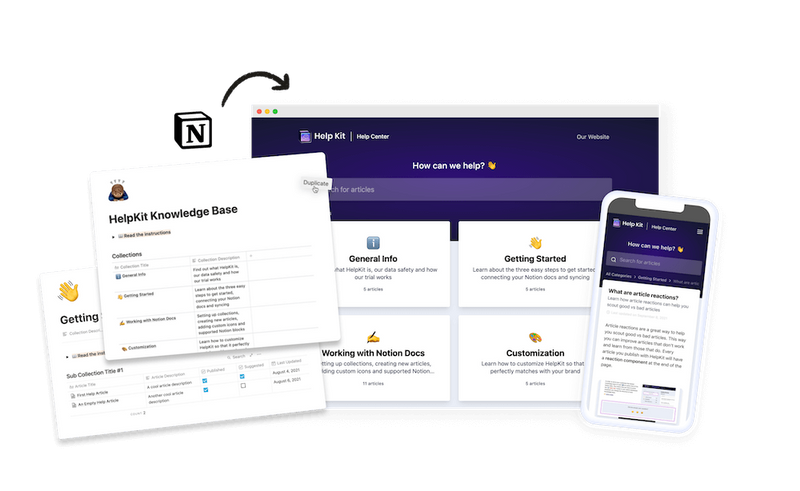
This is exactly why the Notion combination works so well: your team already writes in Notion, which solves the editing problem better than any CMS, since everyone can edit and nobody needs training. HelpKit adds the other four fifths: a professional help center on your custom domain with search, analytics, AI answers, and llms.txt built in. Setup takes about 15 minutes, and the site stays in sync with your Notion workspace automatically.
However you build it, the next chapter matters more than the tool: how to structure your help center so people find answers instead of giving up and emailing you anyway.
Common questions
Is a help center the same as a help desk? No. A help desk is where your team manages incoming tickets and conversations. A help center is where customers help themselves. They work best together: the help center absorbs the common questions so the help desk handles the genuinely tricky ones.
Should a help center be public or behind a login? Public by default. Public articles rank on Google, get cited by AI assistants, and help prospects. Put content behind protected access only when it reveals things meant for paying customers or internal teams, like an employee handbook.
How many articles do I need to launch? Fewer than you think. Ten solid articles covering your most-asked questions beat fifty thin ones. Start with your support inbox: the questions you answered last month are your first table of contents.